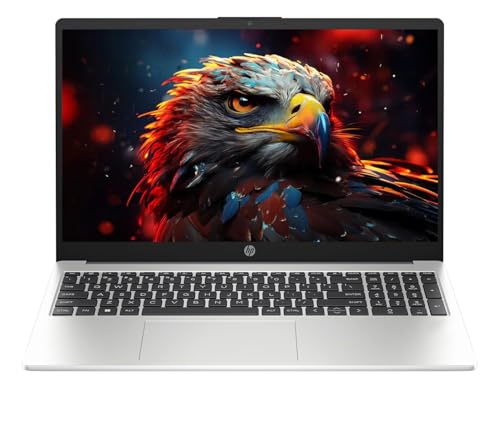
You have ₹80,000 to spend on a laptop. The easy mistake is to assume you should spend every rupee on the biggest processor and an RTX GPU.
For a Computer Science student, that isn’t always the smartest move.
If you’re mainly using VS Code, Python, Java, C++, databases and college projects, RAM, CPU performance, SSD storage and portability matter more than having a dedicated GPU.
But if you’re planning to get into machine learning, CUDA, game development or gaming, the equation changes.
So instead of asking which laptop has the biggest specification sheet, ask:
Which laptop gives me the hardware I’ll actually use?
Quick Comparison
| Laptop | Current Amazon Price | Rating | RAM / Storage | Graphics | Best Suited For |
|---|---|---|---|---|---|
| ASUS TUF Gaming A15 | ₹64,990 | 3.8/5 | 16GB / 512GB | RTX 3050 4GB | Gaming, ML and demanding workloads |
| Samsung Galaxy Book4 | ₹69,990 | — | 16GB / 512GB | Integrated | Coding, college and portability |
| HP 15 Ryzen 7 | ₹69,390 | 5.0/5* | 16GB / 512GB | Integrated | Programming and multitasking |
| Acer Aspire Lite Ryzen 7 | ₹67,990 | — | 16GB / 1TB | Integrated | Coding with lots of storage |
*The HP listing has only a small number of ratings, so I wouldn’t treat that rating as particularly strong evidence.
Prices can change on Amazon, so check the current listing before purchasing.
First, What Does a CS Student Actually Need?
For most Computer Science coursework, I’d prioritise:
16GB RAM → capable processor → 512GB+ SSD → comfortable keyboard/display → portability → dedicated GPU
That order might surprise you if you’ve been looking at gaming laptops.
But think about a normal development session.
You might have VS Code open with Chrome, Git, a database, terminal windows, Docker and documentation running simultaneously.
That’s where RAM and CPU performance become much more useful than an unnecessarily powerful GPU.
16GB RAM is the sweet spot
I wouldn’t spend close to ₹80K on an 8GB machine unless there was a very specific reason.
16GB gives you much more breathing room for development and multitasking.
If you’re eventually running several virtual machines or containers, having upgradeable RAM becomes even more valuable.
512GB should be the minimum
Programming environments take space.
Android Studio, SDKs, Docker images, databases, IDEs, projects and games can eat through storage surprisingly quickly.
A 1TB SSD is particularly attractive if the price difference isn’t huge.
ASUS TUF Gaming A15
Check the latest price on Amazon
Here’s the interesting option if you actually need GPU power.
The TUF Gaming A15 configuration has a Ryzen 7 7435HS, 16GB DDR5 RAM, 512GB SSD and RTX 3050 4GB. It also has a 15.6-inch Full HD 144Hz display.
Amazon currently lists it at ₹64,990, with a 3.8/5 rating from hundreds of ratings.
Why a CS student might want it
If you’re interested in:
- Machine learning
- CUDA
- Game development
- 3D work
- Gaming
- GPU-accelerated applications
the RTX 3050 gives you capabilities that integrated graphics simply don’t.
The Ryzen 7 processor also gives you plenty of CPU performance for demanding multitasking.
The catch
It’s a 2.3kg gaming laptop, and that’s before you add the charger.
That’s fine if you mostly work at home or need the GPU.
It’s less appealing if you’re going to carry it between lectures every day.
The 48Wh battery is another compromise, and customer feedback is mixed enough that I wouldn’t buy it purely on specifications.
Buy it if
You actually need GPU performance.
Skip it if
You’re primarily doing ordinary programming and want something comfortable to carry around college.
Samsung Galaxy Book4
Check the latest price on Amazon
The Galaxy Book4 takes the opposite approach.
You get a Core i5-1335U, 16GB RAM and 512GB SSD in a 15.6-inch laptop.
The appeal isn’t raw performance.
It’s convenience.
Why it makes sense
Imagine carrying your laptop from lecture to lab to library and then back to your hostel.
A relatively light machine is much easier to live with than a gaming laptop.
For normal programming, web development, Python, Java, SQL and college assignments, the hardware is perfectly sensible.
The catch
The i5-1335U is an efficiency-focused processor rather than a high-power H/HX chip.
And there is no dedicated GPU.
So if you’re planning serious CUDA work, ML experimentation or gaming, this isn’t the machine I’d pick.
Buy it if
You want a practical college laptop that you won’t hate carrying around.
Skip it if
You need serious GPU performance.
HP 15 Ryzen 7
Check the latest price on Amazon
This HP 15 configuration uses a Ryzen 7 7730U, 16GB DDR4 RAM and 512GB SSD.
At ₹69,390, it sits comfortably below the ₹80K ceiling.
Why it is interesting
For someone who doesn’t care about gaming or GPU computing, this is a straightforward productivity machine.
The Ryzen 7 gives you a solid CPU platform for:
- Programming
- Compiling projects
- Browser multitasking
- Office work
- Databases
- General development
And at around 1.59kg, it’s much easier to carry than the gaming options.
The catch
The Ryzen 7 7730U is an older efficiency-oriented platform, and there is no dedicated GPU.
So this isn’t the laptop to buy because you want maximum performance.
Also, the current listing has relatively little customer feedback, so I wouldn’t put too much weight on its displayed rating.
Buy it if
You want a simple, portable programming machine without paying for a gaming GPU.
Skip it if
You want cutting-edge performance or GPU acceleration.
Acer Aspire Lite Ryzen 7
Check the latest price on Amazon
The Acer Aspire Lite configuration uses a Ryzen 7 7730U, 16GB RAM and 1TB SSD.
The 1TB storage is the main thing that catches my attention here.
Why it makes sense
If you’re a CS student who installs a lot of software, the extra storage can be genuinely useful.
You can keep:
- Multiple IDEs
- Development environments
- SDKs
- Databases
- Docker images
- College projects
- Personal files
without constantly checking how much free space is left.
The catch
Again, there is no dedicated GPU.
The display and overall machine are aimed more at productivity than premium computing.
So don’t compare it with a gaming laptop and expect similar performance in GPU-heavy workloads.
Buy it if
1TB storage and everyday programming are more important to you than gaming performance.
Skip it if
You specifically need CUDA or a dedicated GPU.
Which One Makes Sense for You?
“I’m just going to code.”
Don’t buy a gaming laptop just because you can.
The Samsung Galaxy Book4, HP 15 or Acer Aspire Lite make more sense if your workload is mostly programming and college work.
“I’m going to learn machine learning.”
Now things change.
If you want to experiment with CUDA locally, an NVIDIA GPU becomes much more useful.
That’s where the ASUS TUF Gaming A15 earns its place.
“I want to game after classes.”
Again, the TUF makes much more sense.
You’re actually using the hardware you’re paying for.
“I’m carrying my laptop everywhere.”
I’d avoid the gaming machine unless you genuinely need its GPU.
A lighter laptop becomes noticeably more convenient after weeks of carrying it around campus.
“I install everything.”
Then I’d seriously consider the Acer Aspire Lite with 1TB storage.
Storage isn’t exciting on a specification sheet, but running out of SSD space halfway through a semester is annoying.
Do You Actually Need to Spend ₹80K?
Probably not.
This is the part many laptop buying guides skip.
If your workload is primarily:
- C/C++
- Python
- Java
- JavaScript
- SQL
- Web development
- VS Code
- College assignments
you don’t need an RTX GPU.
Spending ₹65–70K on a capable machine and keeping the remaining money may be smarter than spending ₹80K simply because the budget exists.
The extra money could go toward:
- External monitor
- SSD
- Better backpack
- Mouse
- Keyboard
- UPS
- Other college expenses
Common Mistakes CS Students Make
Buying an RTX GPU they don’t need
An RTX GPU is useful for specific workloads. It isn’t a requirement for learning programming.
Buying 8GB RAM
At this budget, I’d strongly prefer 16GB.
Buying only 256GB storage
Development tools can consume storage quickly.
Ignoring weight
A 2.3kg laptop plus charger is very different from a 1.5–1.6kg machine when you’re carrying it every day.
Comparing only “Core i5” and “Core i7”
The exact processor model matters much more than the branding.
Ignoring the keyboard
You’ll spend a huge amount of time typing code. A comfortable keyboard is worth more than some flashy specification you’ll rarely use.
Final Verdict
If you’re a typical CS student, I wouldn’t automatically spend the entire ₹80K.
For a portable, straightforward college machine, the Samsung Galaxy Book4 is an appealing option.
If you want more storage for development tools and projects, the Acer Aspire Lite is worth considering.
If you want a simple CPU-focused machine for programming without paying for a gaming GPU, the HP 15 is another option, although its limited review volume makes me less confident in recommending it over better-established alternatives.
And if you want gaming, CUDA, machine learning or GPU-heavy development, the ASUS TUF Gaming A15 is the one that actually justifies buying a gaming laptop.
The key is simple:
Don’t buy the most powerful laptop your budget allows. Buy the laptop whose hardware your workload actually needs.
Top Picks for This Article
Handpicked from across DealPaglu — prices and offers may change.